Consider HoneyBook’s AI for the inquiry stage: spotting which new lead matters, pulling context before a call, and drafting the reply you then edit. HoneyBook lists AI on all three plans, from Starter at $29 a month billed yearly, and Starter includes one active scheduling session type. Essentials expands scheduling and adds workflow automations. Never let a draft reply quote a price you have not checked.
Original research dated September 20, 2026. Text revised September 21, 2026; Sources and method identifies the specific claims rechecked and any earlier observations retained. This article contains no affiliate links.
Who this is for
You take client inquiries through a contact form, email or Instagram, you answer them yourself, and replies sometimes slip by a day. This article covers what HoneyBook’s AI features do at that stage, which plan you need, and what you must still check before a reply goes out.
 Before you buyHoneyBook Starter vs Essentials for One PersonCompare the two plans a one-person business is most likely to choose.See the plans →
Manual baseline: what an inquiry costs you now
A typical inquiry means: read the message, look up whether you have talked before, check your calendar, decide whether it is worth a call, write a reply with a price range or a booking link, and set a reminder to follow up. Time this sequence in your own business. The features below offer lookup and drafting assistance; their net time benefit depends on the review and correction needed. They do not decide whether to take the job.
What HoneyBook AI actually includes
HoneyBook’s help centre lists these AI features. Names are HoneyBook’s own, taken from its AI help collection on September 20, 2026. Source: HoneyBook AI help collection
| Feature | What it is for | What you still check |
|---|---|---|
| Priority lead notifications | Flags leads worth answering first | Your own judgment on fit and capacity |
| Lead enrichment | Adds background detail to a lead record | Whether the detail is about the right person |
| Gmail lead finder | Spots inquiries in Gmail and creates projects | That it did not create duplicates |
| Draft emails | Writes a reply for you to edit | Price, scope, dates, tone |
| Follow-up suggestions | Re-engages unconverted or quiet leads | Whether the client actually said no |
| Meeting prep notes | Summarizes context before a call | The original thread for anything you will commit to |
| Meeting notetaker | Takes notes on video or in-person meetings | Consent from everyone in the room or call |
| Project recaps and priority lists | Daily summary of what needs attention | Nothing urgent was ranked low |
Which plan you need
HoneyBook’s US pricing page lists HoneyBook AI on Starter, Essentials and Premium. What changes between plans is the machinery around the AI: Starter includes one active scheduling session type, while Essentials expands scheduling and adds automations and QuickBooks Online sync, along with a jump from 2 to 10 live lead forms and up to 2 team members. Source: HoneyBook pricing
| Plan | Price | Relevant to inquiries |
|---|---|---|
| Starter | $29 per month billed yearly | Unlimited clients and projects, invoices, proposals, contracts, client portal, up to 2 live lead forms, one active scheduling session type, HoneyBook AI |
| Essentials | $49 per month billed yearly | Expands scheduling; adds automations, QuickBooks Online, SMS reminders, up to 10 lead forms, removes HoneyBook branding |
| Premium | $109 per month billed yearly | Adds unlimited lead forms, unlimited team members, advanced reports, priority support |
Source: membership inclusions and Starter scheduling
Payment processing is separate from the subscription. The page lists card processing from 2.9% plus 25 cents and ACH bank transfers at 1.5%.
A five-step inquiry routine
- Let the notification sort, not decide. Treat a priority flag as “look at this first”, then apply your own filter: budget signal, timeline, whether the work is what you want more of.
- Read the original message before the summary. Prep notes are for speed; the client’s own words are what you are answering.
- Draft with the AI, then fix the four things. Price, scope, dates and anything that sounds like a promise. A generated reply that says “we can definitely get that done by Friday” is a commitment once you send it.
- Attach the real documents. Proposals and contracts come from your templates, not from a generated paragraph.
- Review inquiry follow-up suggestions yourself on Starter. Workflow automations begin at Essentials. Starter’s built-in scheduling and separate payment reminders do not turn an AI inquiry suggestion into an approved email.
If you are still choosing a platform, our HoneyBook vs Dubsado comparison covers the wider decision, and our client intake forms guide covers capturing inquiries if you would rather keep intake outside a CRM.
Consent, privacy and the notetaker
- Recording and note-taking on calls involves other people. Tell participants before an AI notetaker joins, and get agreement. Rules on recording differ by country and by state, and a client’s own policy may forbid it.
- Enrichment pulls in outside information. Check it before you repeat it back to a lead; a wrong company or role in your first reply is worse than no detail at all.
- Client data sits in your CRM. Review HoneyBook’s privacy terms, your client agreements and the Gmail Lead Finder setting before connecting Gmail. Lead Finder is on by default when Gmail is connected; it scans recent email and can create contacts and projects automatically. Disable it if that processing is not appropriate. Source: Gmail Lead Finder.
- Nothing here is a payment decision. AI suggestions about follow-up are prompts, not billing actions.
Is the AI a reason to switch?
On its own, no. The reason to be on HoneyBook is the pipeline: inquiries, proposals, contracts and payments in one place. Evaluate the AI layer on your own inquiry work; this article establishes no time savings. If you already run bookings and payments elsewhere, our paid bookings checklist covers charging at booking time without a full CRM.
The human check that stays yours
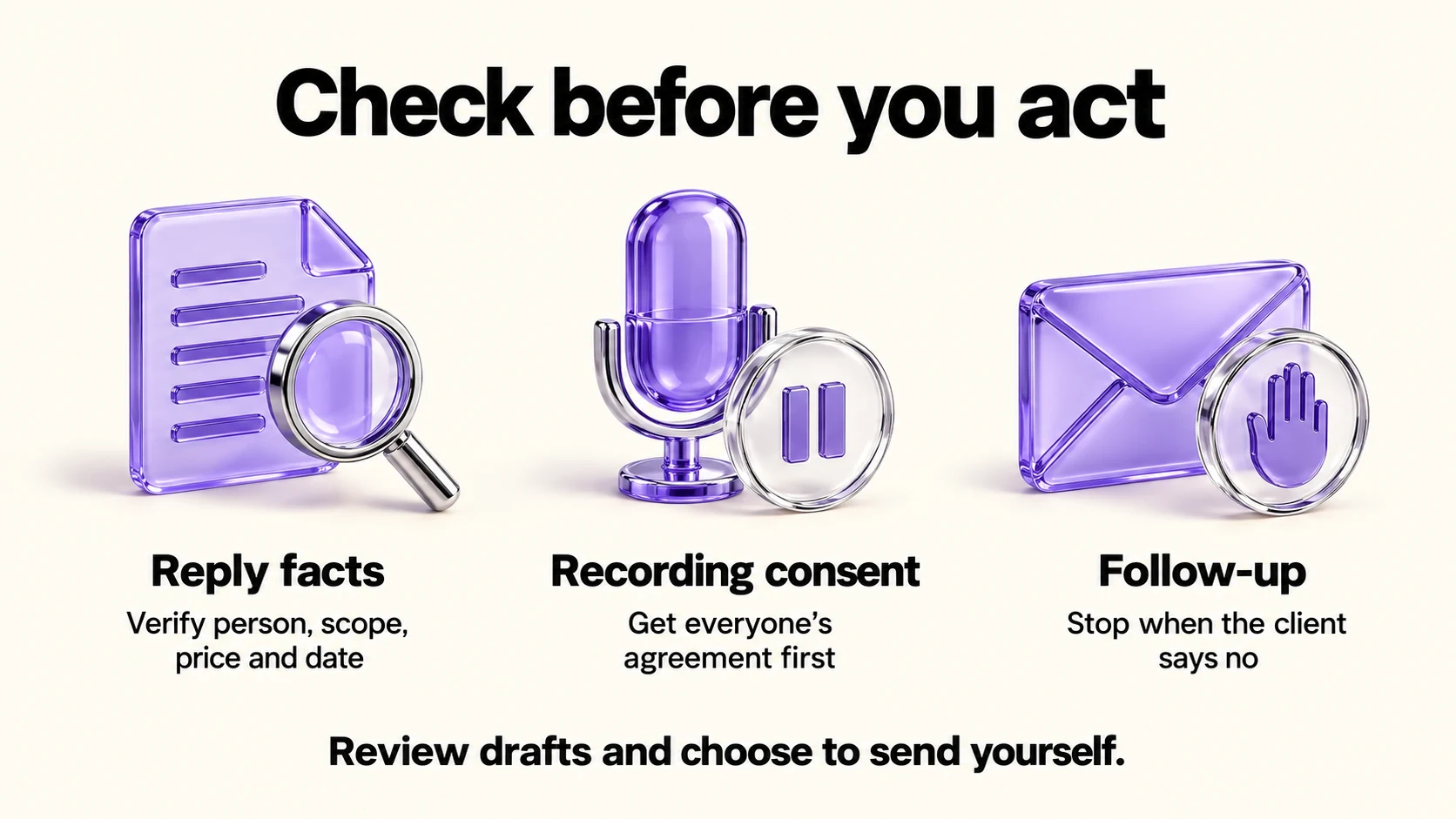
- Every price and date in a reply matches your rate card and calendar.
- The reply names the right person, project and event date.
- Everyone on a recorded call agreed to the notetaker.
- Follow-ups stop when a client says no.
Frequently asked questions
Is HoneyBook AI included in the Starter plan?
HoneyBook’s pricing page lists HoneyBook AI on all three plans. Starter includes one active scheduling session type; Essentials expands scheduling and adds workflow automations.
Does the AI send replies automatically?
The help collection describes drafting emails and suggesting follow-ups. Treat anything generated as a draft and send it yourself.
Can I use the notetaker for in-person meetings?
The help collection lists both a video-call notetaker and an in-person notetaker. Consent still applies in both cases.
What does it cost beyond the subscription?
Payment processing fees, listed from 2.9% plus 25 cents for cards and 1.5% for ACH on the US pricing page.
Sources and method
Revised September 21, 2026 using the linked AI collection, membership inclusions, Gmail Lead Finder help and US pricing page. The detailed membership article resolves Starter scheduling despite the marketing card emphasizing Essentials; the pricing table’s card-fee row now supplies the quoted starting fee. USD annual seat prices are monthly equivalents, not monthly charges. The routine and consent checks are editorial suggestions; review processing permissions before connecting a mailbox.
Read next