Starter at $29 a month billed yearly includes one active scheduling session type, invoices and contracts. Consider Essentials at $49 on the same billing basis for expanded scheduling, workflow automations, QuickBooks Online sync or more than two lead forms. Compare the $20 monthly-equivalent difference with the value of time actually saved after setup and review, not all the time you currently spend on admin.
Original research dated September 20, 2026. Text revised September 21, 2026; Sources and method identifies the specific claims rechecked and any earlier observations retained. This article contains no affiliate links.
Who this is for
You run a service business alone, you already use or are about to use HoneyBook, and you are deciding whether the cheapest plan is enough.
What you get on each plan
| What changes | Starter | Essentials |
|---|---|---|
| Price | $29 per month billed yearly | $49 per month billed yearly |
| Clients and projects | Unlimited | Unlimited |
| Invoices, payments, proposals, contracts | Included | Included |
| Scheduler | One active session type | Expanded scheduling |
| Automations | Not listed | Included |
| QuickBooks Online sync | Not listed | Included |
| Live lead forms | Up to 2 | Up to 10 |
| Team members | None listed | Up to 2 |
| SMS reminders | Not listed | Included |
| “Powered by HoneyBook” branding | Shown | Can be removed |
| Reports | Basic | Standard |
| HoneyBook AI | Included | Included |
Source: HoneyBook pricing. Premium is listed at $109 per month billed yearly, adding unlimited team members and lead forms, advanced reports and priority support. For one person, it is rarely the starting point.
Manual baseline: what Starter makes you do by hand
- Booking. Starter includes one active scheduling session type. Additional booking types may require expanded scheduling or a separate tool.
- Follow-up. Multi-step workflow automations start at Essentials, but automatic payment reminders are a separate setting. Do not count every invoice reminder as work that an upgrade would remove.
- Bookkeeping. Without QuickBooks Online sync you enter income into your accounts manually or export and import it.
- Lead capture. Starter permits two live lead forms. A form can cover multiple services; consider Essentials if you need more distinct forms.
Sources: membership inclusions and automatic payment reminders.
The cost math, in your own hours
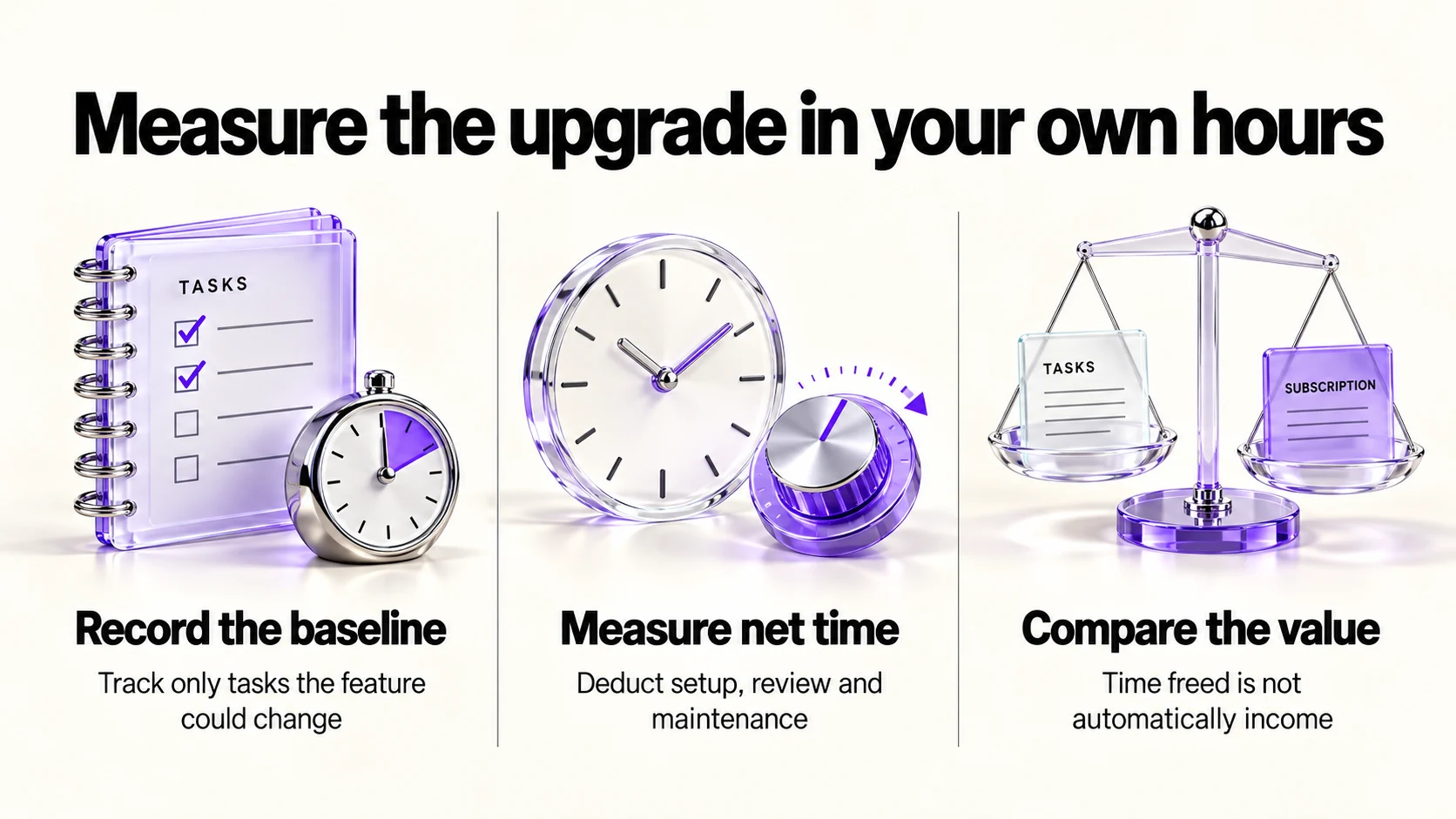
The difference is $20 a month, or $240 a year, at the yearly rate. Put that against your own hourly rate rather than a generic “saves hours” claim:
- Record a baseline for the specific reminders or admin tasks an Essentials feature could change.
- Account for booking work already handled by Starter’s included session type and existing payment reminders.
- If you evaluate the upgrade, measure time actually saved after checking outputs; deduct setup and ongoing maintenance time.
- Calculate net minutes saved ÷ 60 × your chosen hourly value. Compare that monthly value with $20; time freed is not automatically additional income.
For example, at an assumed $20 per hour, 60 net minutes saved would equal the $20 monthly-equivalent upgrade cost before tax. This is arithmetic, not a measured result. Do not count a recovered project as a benefit unless you can actually substantiate it.
When Starter is the right answer
- You take a handful of projects a month and remember to follow up.
- One scheduling session type meets your needs, your clients book by email, or you already pay for a booking tool you like. Our Calendly vs TidyCal comparison covers that option, and our paid bookings checklist covers taking money at booking time.
- You do your books in a tool with no HoneyBook sync anyway. Our FreshBooks vs QuickBooks Online comparison covers that choice.
- Your intake can be handled by at most two live lead forms, even if a form covers multiple services.
When to move to Essentials
- You need more scheduling session types than Starter includes and want to evaluate consolidating tools.
- Proposals sit unsigned because follow-up depends on your memory.
- You use QuickBooks Online and re-enter income by hand.
- You want your brand alone on client-facing files.
- You bring in a subcontractor or assistant who needs access: Essentials lists up to 2 team members.
Costs that are not in the plan price
- Payment processing. The page lists card processing from 2.9% plus 25 cents and ACH bank transfers at 1.5%. For an illustrative $4,000 in eligible card payments, 2.9% alone is $116 before the per-transaction component; processing is separate from the seat price.
- Annual commitment. The lower prices are billed yearly. Check the current terms before committing if your workload is seasonal.
- Migration time. Budget time to move and check templates, contracts and client records. The effort depends on your data and integrations.
Frequently asked questions
Does Starter include HoneyBook AI?
Yes, the pricing page lists HoneyBook AI on all three plans. Our companion article on HoneyBook vs Dubsado covers the wider platform comparison.
Can I upgrade later without losing data?
Plans are changeable according to the pricing page’s own terms; confirm how your templates and automations carry over before you move, and keep an export of your client list.
Is there a monthly option?
The quoted $29/$49 figures are monthly equivalents paid yearly. Compare the current monthly-billing option in your region before choosing a commitment.
What about more than two team members?
That is a Premium line; Essentials lists up to 2.
Sources and method
Revised September 21, 2026 using HoneyBook’s linked US pricing table, membership inclusions and payment-reminder documentation. Starter scheduling and automatic payment reminders are distinguished from Essentials workflow automation. Quoted subscription prices are annual-billing monthly equivalents; payment fees are separate. The cost calculation uses an explicitly hypothetical hourly value and requires net time actually saved; the upgrade triggers are suggestions, not a return-on-investment guarantee.
Read next