QuickBooks Online’s AI is a categorization assistant, not a bookkeeper. It suggests expense categories and answers questions about your own numbers, and Intuit marks parts of it as beta on the US pricing page. Simple Start is the one-user entry tier at a regular US$38 per month; Accounting AI features such as Ready to post require Essentials or higher. Review every suggested category yourself, and take tax positions from an accountant.
Original research dated September 21, 2026. Text revised September 21, 2026; Sources and method identifies the specific claims rechecked and any earlier observations retained. This article contains no affiliate links.
Who this is for
You invoice clients, your bank feed fills up with transactions, and you do the books yourself between projects. You want to know which part of that AI can take, and which part stays yours.
Manual baseline: what bookkeeping is for one person
Every month: match bank transactions to invoices, categorize expenses, chase anything unpaid, and reconcile so the balance in the software matches the bank. The slow parts are categorizing a long list of small transactions and remembering what an unfamiliar payment was. That is exactly where suggestion features help, and also where a wrong guess quietly becomes a wrong return.
What Intuit lists as AI
On the US pricing page checked September 21, 2026, Intuit groups these under “Intuit Intelligence” across plans: expert-guided setup and onboarding, marked beta; AI chat for instant insights, marked beta with limited capacity; expense categorization; and help to maximize tax deductions. The Advanced plan adds automatic project creation with cost allocation and tailored financial insights. Source: QuickBooks Online pricing
| Plan | Regular monthly rate | Users |
|---|---|---|
| Simple Start | $38 a month | 1 user plus 2 accountants |
| Essentials | $85 a month | 3 users plus 2 accountants |
| Plus | $140 a month | 5 users plus 2 accountants |
| Advanced | $340 a month | 25 users plus 3 accountants |
For a solo business, Simple Start is the entry tier. Compare the regular monthly cost with the features you need; this table makes no assumption about introductory discounts at publication.
Intuit distinguishes general AI category suggestions from Accounting AI. The latter includes Ready to post and Requests for more information on Essentials and higher. Review Signals indicate the evidence behind suggestions; they are not an accuracy guarantee. Source: the AI-powered banking page.
What to let it do
- Suggest categories for recurring, obvious transactions. Your hosting bill, your software subscriptions, the same client’s payments every month.
- Answer questions about your own data. “What did I spend on subcontractors last quarter?” is a lookup, and you can verify it against a report.
- Flag what it cannot place. A suggestion queue you review weekly is better than a guess applied silently.
What to keep in your hands
- Anything that affects a tax position. Whether a cost is deductible, how to treat a mixed personal and business purchase, or what counts as an asset rather than an expense. A page that says it maximizes deductions is describing a feature, not giving you advice you can rely on.
- Unusual transactions. Refunds, chargebacks, transfers between your own accounts, foreign currency.
- Reconciliation. The month is not closed because a screen says it is; reconcile balances and investigate differences, duplicates and incorrect categories before closing it.
- Beta features. Intuit marks AI chat and guided setup as beta on the pricing page. Treat beta output as a draft.
A monthly routine that keeps you in control
- Connect the authorized bank feed and review pending suggestions throughout the month before posting.
- Use the documented Review Signals to prioritize uncertain suggestions, including blue and orange signals; check the source details for each entry.
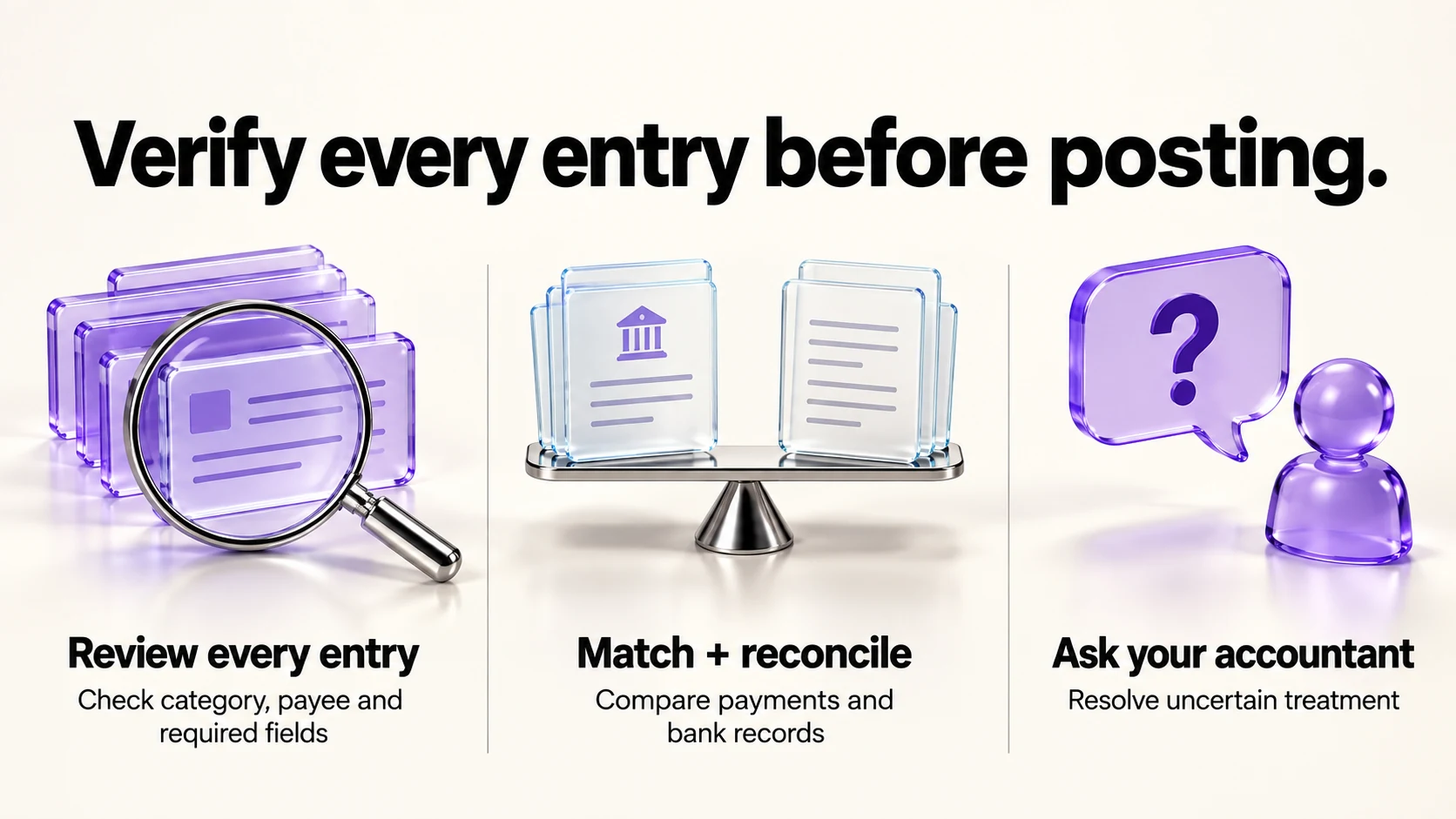
- Verify every proposed category, payee and required field before posting. Investigate errors and related entries; an optional later sample cannot certify the rest of the month.
- Match client payments to invoices, and list what is still unpaid.
- Reconcile against the bank statement.
- Send the month to your accountant with questions, not conclusions.
The unpaid list from step 4 feeds the reminder ladder in our guide to late-payment reminders, and our Stripe Payment Links vs invoicing guide covers making the payment itself easier.
Cost in context
At $38 a month, QuickBooks Simple Start is more expensive than several invoicing-first tools, and the reason to pay is accounting features rather than the AI: reports your accountant expects, bank reconciliation, and an accountant seat. If those are not needed yet, a free invoicing tool plus a spreadsheet may be enough. Our FreshBooks vs QuickBooks Online comparison covers the closest paid alternative, and our Wave vs Zoho Invoice comparison covers the free end.
Privacy and access
- Your accounting data is the most sensitive data in your business. Use a strong unique password and two-factor authentication.
- Give your accountant an accountant seat, which the plans include, rather than sharing your login.
- Review app connections that read your ledger, and remove the ones you no longer use.
Frequently asked questions
Does QuickBooks do my taxes with AI?
No. The pricing page describes categorization and deduction features. Filing and tax positions are for you and your accountant.
Which plan does a freelancer need?
Simple Start includes one user plus access for two accountants. Choose by feature needs as well as headcount: Accounting AI / Ready to post starts at Essentials, while other higher-tier features may also matter.
Is the AI chat reliable?
Intuit marks it beta with limited capacity on the pricing page. Verify anything you act on against a report.
Can I switch later?
Intuit lists a 30-day free trial and no annual contract on the pricing page. Migration between accounting tools is still work; export before you move.
Sources and method
Revised September 21, 2026 using the linked US pricing page and detailed AI banking help. The table quotes regular monthly USD rates only; time-limited promotional amounts were removed rather than projected into October. The help article supplies the Review Signals workflow and Essentials-or-higher Accounting AI distinction. The review routine is an editorial recommendation, not a validated sampling procedure or accounting advice; confirm transaction treatment with a qualified adviser.
Read next