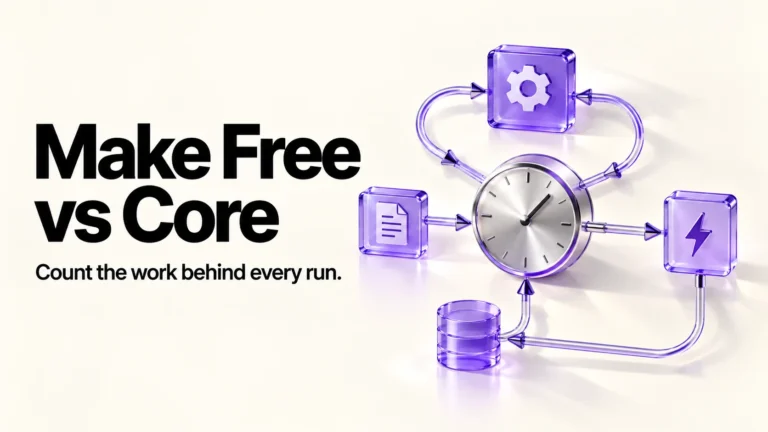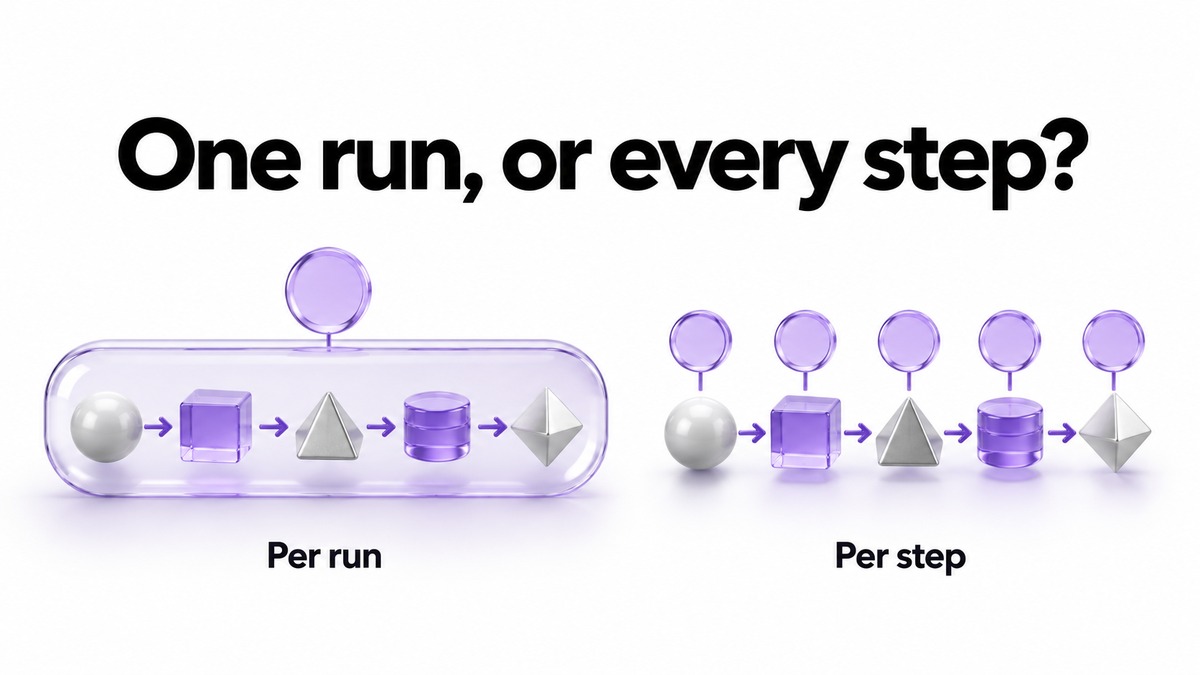
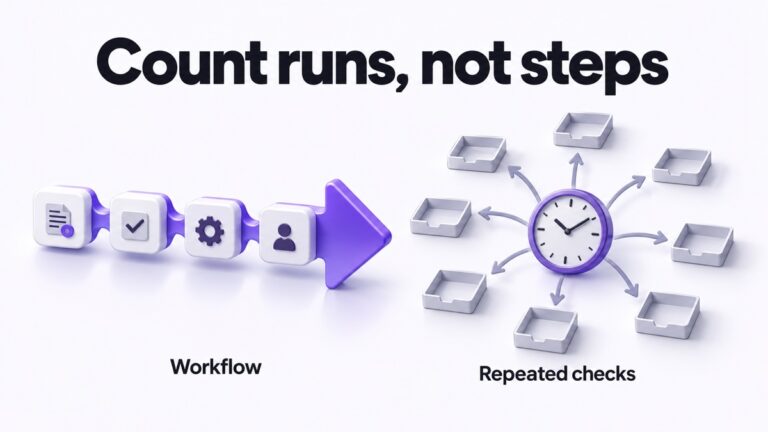
n8n and Make do not charge for the same thing, so their headline numbers cannot be compared directly. n8n counts one execution per workflow run, however many steps it has. Make charges credits for every module action, so one run can cost two credits or thousands. Choose n8n if your workflows are long or you need self-hosting. Choose Make if your automations are short and low-volume and you value its webhook queue when credits run out.
Pricing and documentation checked October 28 to 31, 2026. This article contains no affiliate links.
The mistake to avoid: comparing 10,000 with 10,000
Both pricing pages put a 10,000 figure in front of you, and it is tempting to line them up. They measure different things. On n8n, Pro includes 10,000 workflow executions a month, and the pricing page defines the unit as “a single run of your entire workflow”, adding that “It doesn’t matter how many steps are in the workflow or how much data it processes.” On Make, 10,000 is a credit allowance, and the pricing page says “Every time a module in a scenario performs an action, it consumes credits”, so that “your scenario can perform anywhere from two credits to thousands of credits in a single run.”
A workflow with eight steps that runs 1,000 times a month is therefore about 1,000 executions on n8n and roughly 8,000 credits on Make, before any exceptions. Neither number is wrong. They answer different questions, and the comparison only becomes fair once you convert your own workflow into each unit.
 Before you buyn8n Starter vs Pro for a Solo AI Workflown8n Starter or Pro: which runs count, concurrency headroom and what happens at each limit.See the plans →
What each plan costs and includes
| Decision point | n8n Cloud | Make |
|---|---|---|
| Billing unit | One execution per workflow run | Credits per module action |
| Free option | A free trial but no free Cloud plan on the cards; a self-hosted Community Edition exists | Free: 1,000 credits a month, 2 active scenarios, 15-minute minimum schedule |
| Entry paid plan | Starter: 2,500 executions, 20€ a month billed annually or 24€ monthly | Core at 10,000 credits: $9 a month billed annually or $10.59 monthly |
| Next plan up | Pro: 10,000 executions, 50€ a month billed annually or 60€ monthly | Pro at 10,000 credits: $16 a month billed annually or $18.82 monthly |
| How price scales | Fixed tiers | A credit slider: price rises with the credits you license |
| Scheduling floor on paid plans | Not listed on the plan cards | 1-minute minimum interval from Core upwards |
Sources: n8n pricing and Make pricing, both billing toggles. Make’s paid prices move with the credit slider, so the figures above are for the 10,000-credit setting; at that setting the page showed $0.90 per 1,000 credits on Core billed annually and $1.06 monthly. n8n’s own documentation warns that “Exact features, usage limits, and prices for each plan can change”, and the same is true of Make, so read both live pages before you decide.
Convert one real workflow into both units
Here is a worked example using a common solo task: a contact form arrives, an AI model classifies it, a row is added to a sheet, a router decides who handles it, a reply draft is created and a notification is sent. Count the module actions once, then multiply by how often the workflow runs. This is our arithmetic from the two published definitions.
| Monthly volume | n8n executions | Make credits, about 5 per run |
|---|---|---|
| 60 enquiries | 60 | About 300 |
| 600 enquiries | 600 | About 3,000 |
| 3,000 enquiries | 3,000 | About 15,000 |
The Make column assumes the form trigger, the AI module, the sheet, the draft and the notification each cost one credit and the router costs nothing, since Make says the “Router module” is one of the exceptions where it “doesn’t count the credits”. At 60 enquiries a month the workflow fits inside Make’s free allowance and well inside n8n Starter. At 3,000 it needs more than Make’s 10,000-credit setting and more than n8n Starter’s 2,500 executions. The longer the workflow, the further the two columns pull apart: every extra step adds to the Make column and nothing to the n8n one.
Schedules and polling are counted differently too
How often a workflow starts matters on both platforms, but not in the same way.
- n8n. A Schedule Trigger counts “one execution every time the node fires, regardless of outcome.” A polling node, such as a Google Drive Trigger, counts “only when new data is found”, and “Polls that return no results don’t count as an execution.” Source: Understand executions
- Make. When Make moved its billing to credits it redefined operations as “individual module runs that process or check for data.” By that definition a trigger that checks for new records is doing billable work even when it finds nothing. Source: Introducing credits
The practical consequence: a trigger that checks a sheet every 15 minutes runs about 2,880 times in a 30-day month. On n8n, if that trigger is a polling node, the empty checks cost nothing. On Make, by the definition above, each check is an operation. Treat this as a reason to prefer instant webhook triggers on Make rather than as a figure to budget against.
What happens when you run out

This is the difference that matters most for client work, and the two platforms behave in opposite ways.
| Question | n8n Cloud | Make |
|---|---|---|
| Do workflows keep running? | No. “Executions at the limit are not queued. They fail immediately with an error.” | No. “Your scenarios won’t continue to run, until credits are added again.” |
| Are incoming events kept? | No backlog; failed executions “stay failed and do not automatically re-run” | “Incoming webhooks will be queued up to the amount of webhook queue storage you have available” |
| What about polling? | Each run fails until the limit resets | “Scenarios that poll for data will also search for records since the last time they ran successfully.” |
| When does the allowance renew? | “At the start of each calendar month, regardless of your billing date” | “Credits expire at the end of the term.” |
Sources: n8n’s execution-limit FAQ and the FAQ on Make’s pricing page. In plain terms, Make gives you a buffer: webhooks that arrive while you are out of credits wait in a queue and run once you top up, as long as the queue has room. Make sizes that queue from your licence, at 667 webhooks per 10,000 credits up to a maximum of 10,000. n8n gives you no buffer on the monthly quota, so if a missed enquiry would cost you a client, leave headroom and watch the counter. Make’s credits also expire: unused credits do not carry forward, and extra credits expire after one month on a monthly subscription.
AI workflows: where the cost lands
- Make with your own AI provider. Make’s credits guide says third-party AI apps such as OpenAI, Anthropic Claude and Gemini use “1 operation equals 1 credit”, and with a custom provider connection on a paid plan you pay the provider directly for tokens. That is predictable on the Make side.
- Make’s built-in AI Provider. Here “Credits are based on tokens and operations”, so a long prompt or a long answer costs more credits than a short one. Budget it as variable. Source: Make credits
- n8n. An AI step is part of the run and does not add executions. Model calls made with your own API keys are billed by the model provider, outside the subscription, and n8n’s in-product Assistant credits are a separate allowance from executions.
Whichever you choose, price the model calls separately. A platform comparison is not an AI budget.
Beyond the bill
- Hosting and data control. n8n can be self-hosted; Make’s pricing page offers no self-hosted plan. Self-hosting moves updates, backups and recovery onto you, which is a real cost for a one-person business.
- Builder fit. Both are visual builders, and neither pricing page tells you which one you will find easier. Build the same small workflow on Make’s free plan and in n8n’s free trial before committing.
- Free-tier limits on Make. The free plan allows 2 active scenarios, a 15-minute minimum interval between scheduled runs and a 5-minute maximum run time. Core removes the active-scenario cap and allows 1-minute schedules and 40-minute runs.
Decide in four steps
- Write down one real workflow step by step. Count the module actions Make would charge for, and note which step starts it.
- Estimate runs a month. Multiply by module actions for Make; use the run count alone for n8n.
- Ask what a missed event costs you. If losing an enquiry during an over-limit week is unacceptable, Make’s webhook queue is a real advantage; on n8n, plan headroom instead.
- Start monthly on either. Annual billing is cheaper on both, but it locks in a unit you have not measured yet. Switch once a month of real usage confirms the plan.
When neither is the answer
- You have two or three simple connections that run a few times a week. A checklist and a manual step may be cheaper than learning either tool.
- You already run Make and only the bill bothers you. Reducing module count in your busiest scenario is usually cheaper than migrating. Our Make Free versus Core comparison covers sizing a Make plan.
- You are choosing between Make and Zapier rather than n8n. Our Zapier versus Make comparison covers that decision.
Frequently asked questions
Is n8n cheaper than Make?
For long workflows, usually per run, because n8n counts the run and Make counts each module action. For short, low-volume automations, Make’s free plan or Core at its lowest setting can cost less. Convert your own workflow before deciding.
Did Make replace operations with credits?
Yes. Make says credits replaced operations as its billing unit, with existing balances converted one to one and plan prices unchanged. Operations still appear as the activities that consume credits.
Do routers or error handlers cost credits on Make?
Make’s pricing FAQ lists the Router module and the error handler modules Rollback, Break, Resume, Commit and Ignore as not counting credits.
What happens to webhooks if I run out?
On Make, incoming webhooks queue up to your webhook queue storage and run when credits are added. On n8n, executions at the monthly limit fail immediately and are not queued.
Can I compare the euro and dollar prices directly?
No. n8n displays euros and Make displays dollars on the pages we read, and exchange rates, tax and your checkout currency all change the real figure.
Best for your situation
| Situation | Lean towards |
|---|---|
| Long workflows with many steps per run | n8n, because steps do not add executions |
| A few short automations at low volume | Make Free or Core, after checking the free-plan limits |
| Client enquiries you cannot afford to drop near the limit | Make for its webhook queue, or n8n with generous headroom |
| A requirement to host the tool yourself | n8n, if someone can own recovery |
| Heavy use of built-in AI features | Make with your own provider, or n8n with your own keys, for predictable costs |
Sources and method
Make’s plans, prices at the 10,000-credit setting on both billing toggles, free-plan limits and comparison-table limits were read from Make’s pricing page in a browser on October 31, 2026, together with its FAQ, its credits guide and its credits announcement. n8n’s annual-billing prices, allowances and execution definition were read from its pricing page on October 29 and 31, 2026, the monthly-billing figures of 24€ and 60€ from the monthly toggle on October 28, 2026, and the counting rules and limit behaviour from the n8n documentation and support FAQ linked above on October 29, 2026. The workflow table is our arithmetic from the published definitions. Before you choose, check the currency and amount you would actually be charged, how many credits an empty polling check uses on Make, and the real credit cost of any specific module. Our enquiry routing guide covers building the example workflow in Make, and our weekly automation checkup covers keeping either platform honest after you buy.
Read next