Compare the business setup you need before choosing an assistant. Microsoft’s paid Copilot bundles include desktop Office apps; Google Workspace editions differ in storage and Gemini coverage. Existing files and email are useful starting points, but migration costs and AI quality must be assessed on your own work. Compare equivalent business requirements, then distinguish included AI from any separately priced add-on.
Original research dated September 21, 2026; text revised September 21, 2026. Claim-specific rechecks are identified in Sources and method. This article contains no affiliate links.
Who this is for
You are a one-person business paying for either Microsoft 365 or Google Workspace, and you are deciding whether to add that provider’s AI, or to move to the other one because its AI looks better.
 Before you buyGoogle Workspace Flexible vs Annual: The Real Solo CostFlexible or annual billing for one seat: totals, break-even and cancellation rules.See the plans →
Manual baseline: what you are adding AI to
Both suites already give you email, calendar, documents, spreadsheets, file storage and video calls. The AI layer summarizes threads, drafts replies, helps with documents and answers questions about your own files. It does not change where your work lives, which is why the stack you already have is the strongest argument.
What each costs
| Option | Price | Notes |
|---|---|---|
| Microsoft 365 Business Basic | $7.00 | Web/mobile apps, business email, 1 TB/user; eligible for Copilot Chat, not the full paid Copilot entitlement |
| Microsoft 365 Business Standard with Copilot | $23.50 | Desktop/web/mobile apps, business email, 1 TB/user and paid Copilot Business; with-Teams bundle |
| Microsoft 365 Business Premium with Copilot | $32.00 | Paid Copilot Business plus Premium security; 1 TB/user; with-Teams bundle |
| Microsoft 365 Copilot Business add-on | Regular starting rate $21/user/month paid yearly | Requires an eligible base plan; do not add this charge to a bundle already including Copilot |
| Workspace Business Starter | $8.40 Flexible monthly; $7/month Annual/Fixed-Term equivalent | Business email, 30 GB pooled storage/user; Gemini in Gmail, limited broader Workspace AI |
| Workspace Business Standard | $16.80 Flexible monthly; $14/month Annual/Fixed-Term equivalent | Business email, 2 TB pooled storage/user; Gemini across Gmail, Docs, Drive and other supported apps |
| Workspace Business Plus | $26.40 Flexible monthly; $22/month Annual/Fixed-Term equivalent | 5 TB pooled storage/user; Standard AI coverage with added business controls |
Sources: Microsoft 365 plans and pricing, Google AI plans. Microsoft describes Copilot as “work-grounded Copilot in apps such as Word, Excel, PowerPoint, Outlook, and Microsoft Teams”.
Workspace USD rates come from Google Admin Help. Annual/Fixed-Term requires a commitment of at least one year; monthly or yearly payment availability depends on purchase conditions. Flexible bills monthly without that commitment. Workspace’s edition comparison distinguishes storage and Gemini coverage: Starter is not equivalent to Standard for Gemini in Docs or Drive.
For a personal-account alternative, Google’s US AI plans page lists AI Pro at $19.99/month with 5 TB storage and Gemini features in Gmail, Docs and Sheets. This consumer subscription is not a Workspace business-domain plan; do not use its price as an equivalent business-suite quote. AI Plus is not priced here because its current amount was not established in the retrieved page.
Decide by where your work lives
| Your situation | Evaluate first | Why |
|---|---|---|
| Email and files in Outlook and OneDrive | Microsoft | Copilot works where your work already is |
| Email and files in Gmail and Drive | Same logic in reverse | |
| Desktop Office apps are essential | Microsoft | Desktop apps are a Standard-tier feature |
| You live in a browser on any device | Both browser workflows | Compare the required apps, business features and commitment; browser use alone does not decide value |
| Clients send you .docx and .xlsx constantly | Microsoft, then check compatibility | Test representative client documents |
| You want the cheapest AI that helps with email | AI already included in your current plan | Check entitlement and email access before buying another subscription |
The option most people skip
First check whether AI already included in your suite meets the task. A separate general assistant is another drafting option, but its price, data terms and the effort of transferring material must be compared with your existing entitlement; it is not automatically better value. Our comparison of ChatGPT Plus, Claude Pro and Google AI Pro covers that route, and our guides to Gemini in Gmail and Workspace billing cover the Google side.
Before you switch ecosystems
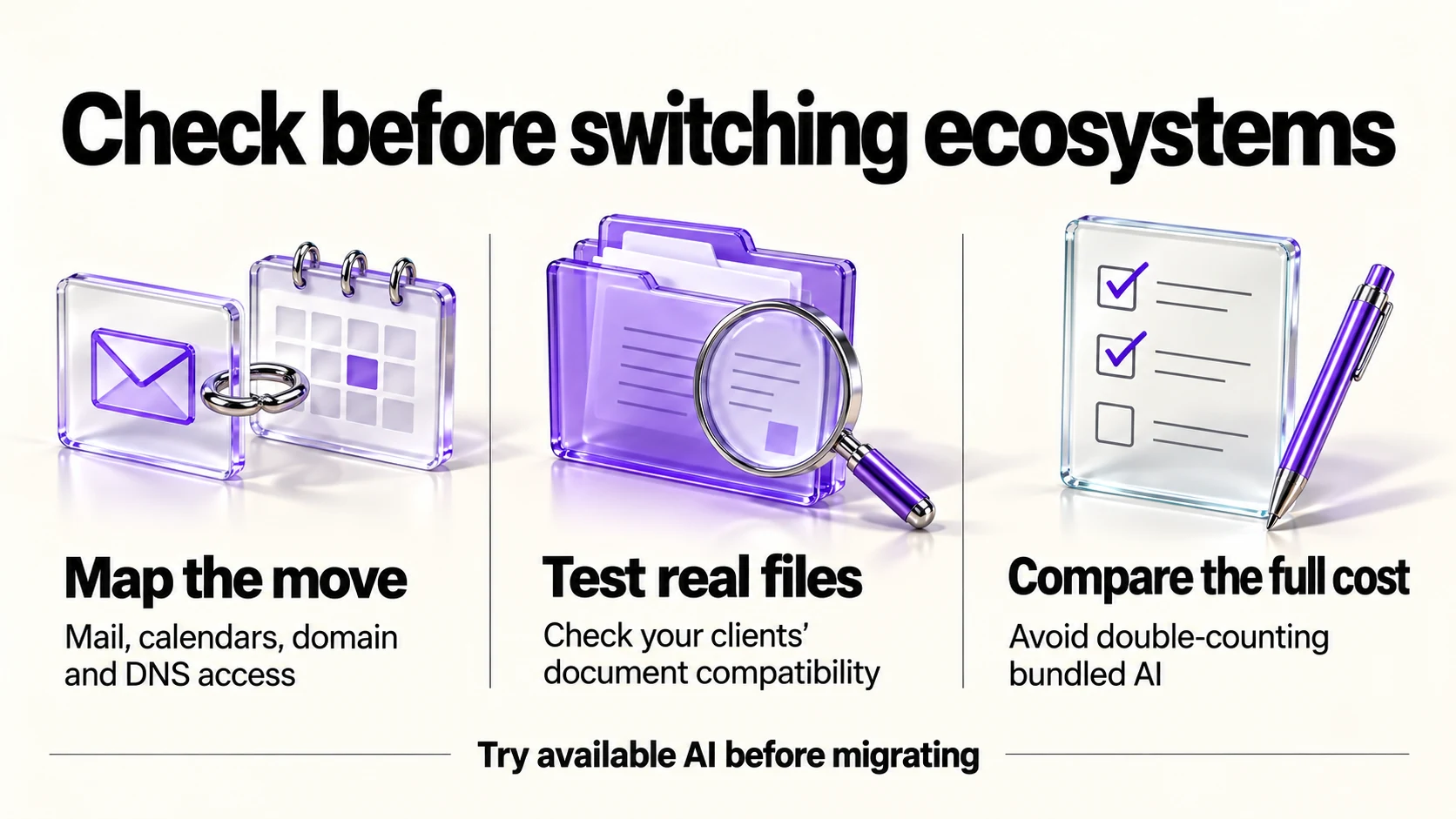
- Estimate migration work. Mailboxes, aliases, calendar invites and every service that sends to your address.
- Check your domain and DNS access first. Our email authentication checklist covers the records that must follow you.
- Test file compatibility with the documents your clients actually send, not with a sample.
- Price both for a year, including only additional entitlements you actually need. Do not double-count bundled AI; check renewal and cancellation terms.
- Do not migrate to try an AI feature. Trial it inside your current suite first if a trial exists.
What neither solves
- Deciding what to answer. Both summarize; neither triages your business for you.
- Facts and commitments. Prices, dates and promises stay yours to check.
- Client confidentiality obligations, which are set by your contracts, not by a settings page.
- A messy filing system. Verify file permissions, source coverage and the current version rather than assuming AI will resolve filing problems.
Frequently asked questions
Is Copilot included in any Microsoft business plan?
Eligible Microsoft subscriptions, including Business Basic, include Copilot Chat with more limited work-data use. The paid Copilot license expands access to work context and capabilities. The Standard/Premium bundles above include that paid entitlement. Microsoft’s licensing comparison explains the distinction.
How much is Google’s AI for a business domain?
Use the Workspace rows above: they show standard USD per-user Flexible monthly and Annual/Fixed-Term equivalents from Admin Help. Choose the edition with the Gemini app coverage you need; consumer AI Pro is not a substitute for the business-domain subscription.
Can I use both?
You can use both if their distinct benefits justify the total cost and data handling. Check existing entitlements first and avoid paying twice for the same task.
Which has better AI?
The documented differences are packaging, price and which apps the assistant reaches.
Sources and method
Original research: September 21, 2026. Text revision: September 21, 2026. For this revision, Microsoft pricing and licensing, Google AI plans, Workspace Admin Help USD rates and Workspace edition features were rechecked. The original Workspace yen observation remains historical context. Sources used across the original research and this revision: Microsoft business pricing and Copilot licensing, Google’s consumer AI page, and Workspace Admin Help and edition comparison linked above. Workspace USD figures are documentation-based; the original yen observation is retained, not converted. Microsoft’s temporary add-on discount is excluded from the regular-rate comparison; future October offers are not certified. Confirm local terms, required features and the total commitment.
Read next