Copilot in Excel can help draft formulas, summarize trends and build charts for a cash-flow review. Every total still needs independent verification. Build one clean, named table, ask Copilot for the formula or chart, then check every generated number back against your own source totals before it goes into a cash-flow decision. An unchecked formula or stale summary can mislead the decision.
Editorial research checked September 17, 2026 against Microsoft’s Copilot-in-Excel support pages, Microsoft 365 Copilot pricing pages, and Microsoft’s Copilot-for-home privacy page. Every capability, limit and price below is Microsoft’s stated behavior. Pricing, desktop access and formula recalculation were rechecked September 21, 2026. This article contains no affiliate links.
Manual baseline: what this replaces
Without Copilot, reviewing a cash-flow table usually means writing SUM and running-balance formulas by hand, scanning rows visually for anything that looks off, and building a chart from scratch when a client or lender asks for a trend view. Every formula is typed once and copied down, which is also where a dragged range or a wrong sign gets introduced. Copilot can help with writing formulas, summaries and charts. It does not change who is responsible for the numbers being right. If your inflow rows are still a manual mix of bank transfers and chased invoices, our Stripe payment links vs. invoicing guide covers cleaning that up before it reaches this table.
A safe table structure, before you ask for anything
Microsoft’s own guidance ties result quality directly to how the data is labeled: “Be specific. Naming the columns you want Copilot to analyze produces more accurate results.” Source: Data insights with Copilot in Excel. For a cash-flow table, that means named columns for date, category, description, inflow, outflow and running balance, in a proper Excel Table rather than a loose range, with no merged cells and no blank header row. Copilot works on whatever it is given; unclear labels or ranges can lead to incorrect answers, even when the output looks plausible.
Formula generation
Microsoft documents Copilot in Excel’s edit-mode abilities as including to “Edit worksheets” and “Generate data and formulas,” alongside a chat-only mode that “can analyze your workbook data and provide insights without making changes to your workbook.” Source: Get started with Copilot in Excel. Use chat-only mode for a first pass on an unfamiliar workbook, so nothing is altered while you are still deciding what you actually want. Ask for one formula at a time in chat-only mode, naming the exact columns from your table. Review its range and logic before inserting it yourself or asking edit mode to apply it, then verify the resulting number.
| What you want | How to ask |
|---|---|
| Running balance | “Add a running balance column that starts from my opening balance and adds Inflow minus Outflow for each row.” |
| Monthly total | “Sum Outflow by month and put the totals in a new table.” |
| Category check | “Show me which Category values appear only once, so I can check for typos.” |
Trends and outliers
Microsoft states that Copilot “can identify insights such as charts, PivotTables, summaries, trends, or outliers” from a workbook. Source: Data insights with Copilot in Excel. For cash flow, ask it to flag months where outflow spiked relative to the trailing average, or where a single category grew disproportionately, then open those specific rows yourself. An “outlier” flagged by Copilot is a prompt to look closer, not a finding to repeat to a client or lender as-is.
The chart workflow
Chart creation is prompt-driven: “Describe the chart you want, and Copilot generates it,” with Microsoft’s own example being “Create a line chart showing change over time. Show data labels and gridlines.” Source: Visualize your data with Copilot in Excel. If the first result is close but not right, Microsoft’s guidance is direct: “add more detail and ask Copilot to generate again,” rather than manually reshaping a chart that was almost what you wanted. Keep chart requests one change at a time — title, then axis, then labels — so you can tell which instruction produced which change.
The source-total reconciliation
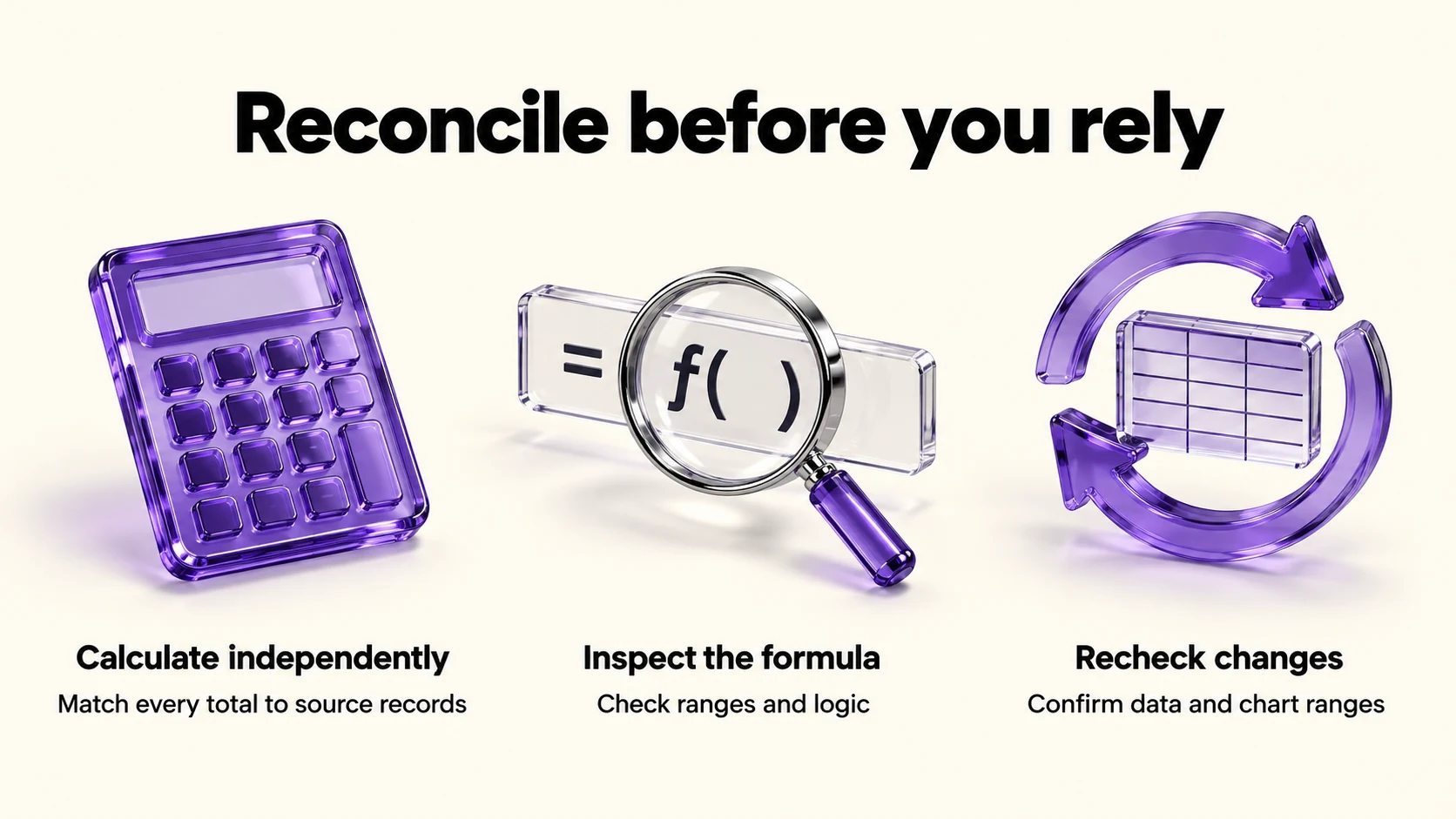
Before any Copilot-generated total, trend claim or chart leaves your workbook, reconcile it against a number you calculated independently, not against another Copilot output. Microsoft’s own instruction sets the bar: “As with any AI-generated content, review, edit, and verify anything Copilot creates for you.” Source: Visualize your data with Copilot in Excel.
- Recompute one total by hand (a plain SUM, or your bank’s own statement total) and match it to Copilot’s version.
- Open the formula Copilot inserted, not just the result, and confirm the range and logic are what you asked for.
- Spot-check one flagged outlier against the source transaction, not just the summary row.
- Recheck after data changes. Live Excel formulas normally recalculate when referenced cells change in automatic calculation mode. Check calculation mode, dependencies and whether new rows are included. Static AI prose or pasted values do not update themselves; charts can remain linked to live data, but their ranges and any PivotTable refresh still need checking. Source: Microsoft formula recalculation guidance.
Financial-data privacy
Microsoft states plainly, for Copilot in Microsoft 365 apps including Excel: “Prompts, responses, and your file contents when using Copilot in Microsoft 365 apps aren’t used to train foundation models,” and that “Copilot only makes use of the content in the file that you’re working in or content in another file that you ask it to look at.” Source: Copilot in Microsoft 365 apps for home: your data and privacy. Optional product-feedback data may be used to improve the product but, per the same page, “We don’t use this feedback to train the foundation models used by Copilot in Microsoft 365 apps.” Prompt and response activity history is retained for some apps and can be reviewed or exported through the privacy dashboard, “though this varies by platform” — know that a record of what you asked Copilot about your finances may persist, and check your own account’s activity history if that matters to you.
- Keep client or customer identifiers out of prompts where the number alone would answer the question.
- Reference only the workbook you’re working in. Do not paste unrelated confidential files into the chat “for context.”
- Check your own subscription tier. Feature and privacy behavior can differ between consumer and business licensing; confirm which applies to your account before treating any statement here as universal.
What it costs
Pricing depends on whether you use a consumer subscription or a business add-on. Microsoft 365 Personal is US$9.99/month, Family $12.99/month, Premium $19.99/month and Pro $99.99/month. These plans include desktop Excel with Copilot; they are not limited to web and mobile Excel. AI benefits are for the subscription owner, and features and usage limits vary by plan, platform and region. Source: Microsoft individual pricing. Microsoft 365 Copilot Business is advertised at $18/user/month, paid yearly, discounted from $21. It requires a separate qualifying Microsoft 365 Business license. The advertised annual bundles are $23.50/user/month for Business Standard with Copilot and $32 for Business Premium with Copilot. These business prices depend on offer eligibility and annual commitment, not just the monthly equivalent. Source: Microsoft business pricing.
| Route | Price | Excel access |
|---|---|---|
| Microsoft 365 Pro (consumer) | $99.99/month | Desktop Excel with Copilot; feature and usage limits apply |
| Microsoft 365 Premium (consumer) | $19.99/month | Desktop Excel with Copilot; feature and usage limits apply |
| Copilot Business add-on | $18.00/user/month, paid yearly | Requires an existing eligible Business plan |
| Business Standard with Copilot | $23.50/user/month, paid yearly | Bundled, full Microsoft 365 Business Standard |
When an accountant is required
If your spreadsheet review keeps exposing missing source records, first decide where your bookkeeping should live. Our FreshBooks vs QuickBooks Online comparison for solo businesses helps you separate that software decision from analyzing an exported cash-flow table.
Copilot can help draft formulas, identify possible trends and create charts; it cannot take responsibility for a filing, a loan application, or a number a bank or tax authority will hold you to. Bring in an accountant or bookkeeper, rather than relying on Copilot alone, when the cash-flow review will support a tax filing, a loan or credit application, a formal financial statement, or any decision where being wrong has a legal or contractual consequence. Use Copilot for the drafting and pattern-spotting; keep a professional in the loop for anything that leaves your own desk as an official number.
Frequently asked questions
Can Copilot in Excel see my whole workbook without asking?
Microsoft states Copilot “only makes use of the content in the file that you’re working in or content in another file that you ask it to look at” — so it works from the open workbook and anything you explicitly reference, not your whole OneDrive or every open file.
Does chat-only mode change my workbook?
No. Microsoft describes chat-only mode as analyzing “workbook data and provide insights without making changes to your workbook,” as distinct from edit mode.
Is Copilot in Excel included in a $9.99/month plan?
Yes. Microsoft 365 Personal is listed at US$9.99/month and includes desktop Excel with Copilot. Confirm your account, platform and usage allowances before subscribing. Source: Microsoft individual pricing.
Does Copilot use my spreadsheet to train its AI models?
Microsoft states that prompts, responses and file contents “aren’t used to train foundation models,” and that personal data from connected experiences “isn’t used to train large language models (LLMs).”
Sources and method
The original capabilities, workbook and privacy research was completed September 17, 2026. On September 21 we rechecked Microsoft’s individual and business pricing, Copilot-in-Excel platform guidance, formula recalculation documentation and home privacy page. Desktop access follows the plan inclusion text, not contradictory app-image labels on the pricing page. The table structure, reconciliation checklist and professional-handoff advice are our editorial method. Confirm plan and promotional terms before purchase.
Read next