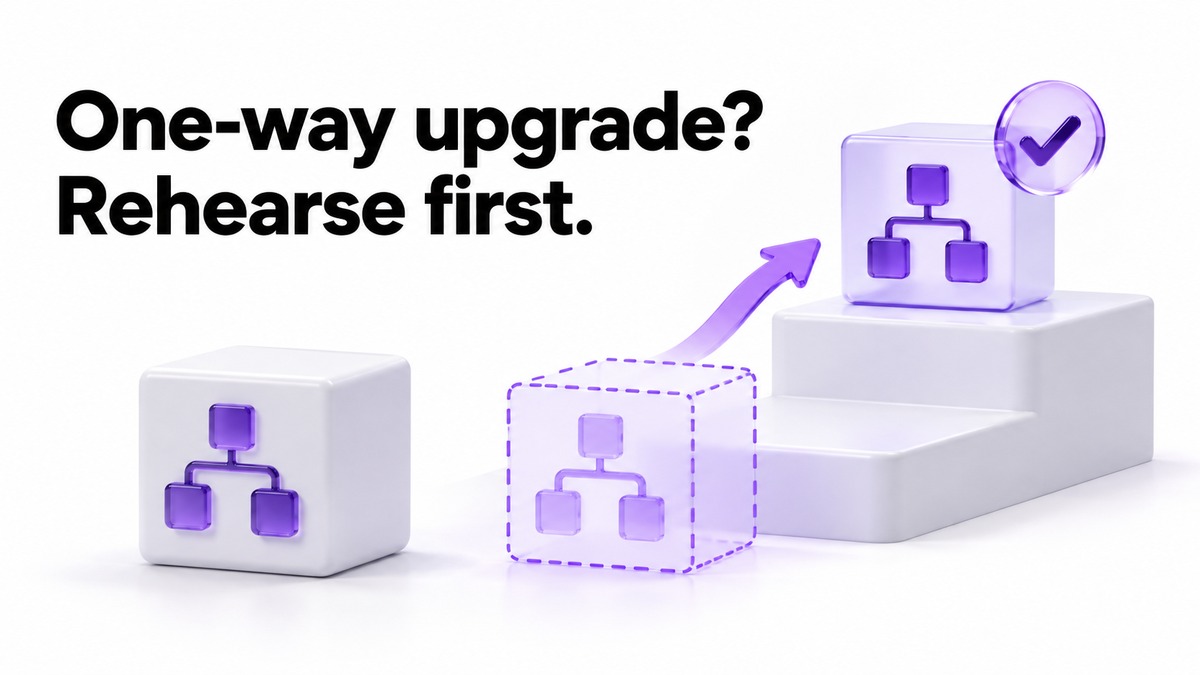
If n8n runs work for your clients, there is no prize for upgrading first. Version 3.0 is a beta, released October 27, 2026, the stable release is only planned for early December, and 2.x keeps security and critical fixes for 12 months after that. Move to the latest 2.x now, list every client workflow the Migration Report flags, rehearse on a restored copy, then upgrade after stable. On 1.x, reach 2.x before December 31.
Documentation checked October 31, 2026. The ledger rows below are invented examples. This article contains no affiliate links.
Where n8n versions stand on October 31, 2026
n8n announced 3.0 on its blog on October 27, 2026 with the line “Today we’re releasing n8n version 3.0.0 BETA.” Its support article on preparing for 3.0 describes the beta as “optional and opt-in” and puts the stable release in early December 2026. That date is a plan, not a release, so treat it as a planning assumption and check again before you book a maintenance window.
| Version line | Status | What it means for client work |
|---|---|---|
| 1.x | Support ends December 31, 2026; no direct path to 3.x | Upgrade to 2.x this year, as its own project |
| 2.x | Current line; security and critical fixes for 12 months after 3.0 is stable | A safe place to stay while you prepare. New features ship only on 3.x |
| 3.0 beta | Opt-in since October 27, 2026 | For a test copy, not for workflows a client depends on |
| 3.x stable | Planned for early December 2026 | The earliest sensible target for production client workflows |
One detail changes the whole plan: the upgrade is one-way. The preparation FAQ says “There’s no direct rollback from 3.x to 2.x; returning to 2.x requires restoring a backup.” Every step below exists because of that sentence.
 Before you buyn8n Starter vs Pro for a Solo AI Workflown8n Starter or Pro: which runs count, concurrency headroom and what happens at each limit.See the plans →
Should you upgrade now, after stable, or later?
| Your situation | Reasonable move | Why |
|---|---|---|
| Self-hosted 1.x running client workflows | Plan the move to the latest 2.x now; leave 3.0 for later | 1.x support ends December 31, and 3.x cannot be reached from 1.x directly |
Self-hosted 2.x installed with npm or npx n8n |
Plan a move to Docker before any 3.x upgrade | n8n says 3.0 no longer supports npm or npx installations; Kubernetes and Helm deployments are not affected |
| Self-hosted 2.x on Docker with client workflows | Build the ledger now, rehearse on a copy, upgrade production after stable | 2.x is still supported, and the rehearsal finds problems while rollback is cheap |
| n8n Cloud with client workflows | Stay on the stable track, run the report, schedule the change yourself | Cloud asks you to confirm major versions, and those updates cannot be rolled back |
| A personal or test instance only | Try the beta if you want to | The ledger below is more process than you need |
On Cloud, n8n’s documentation says only the instance owner can change the version, from the n8n version dropdown, followed by Save and restart, with one to two minutes of downtime. It also says “If the new version is a major version or runs a database migration, n8n asks you to confirm”, and that you can’t roll those updates back. It recommends the Stable track for mission-critical work. The same page says n8n upgrades every instance at least every two weeks for security fixes; it does not say whether that cadence ever crosses a major version without your confirmation, so check your Cloud settings rather than assuming either way.
What changes in 3.0 that can break client work
n8n’s breaking-changes page is long. For a one-person business the useful question is not “what changed” but “how would a client notice”. The table regroups the changes we judged most likely to touch client workflows by that question. It is a selection, not the full list, and the Migration Report on your own instance is the authority.
| How a client would notice | Change in 3.0 | Fix before upgrading |
|---|---|---|
| A scheduled job silently stops | Cron and Interval nodes are removed, and a published workflow that uses a removed node “doesn’t activate when n8n 3.0 starts, so its triggers stop firing” | Rebuild the trigger with the Schedule Trigger node |
| Older custom logic fails | Function and Function Item nodes are removed | Move the logic into a Code node, using Run Once for All Items for Function and Run Once for Each Item for Function Item |
| An AI step stops working | The legacy OpenAI node and AI Agent v1 with its older agent modes are removed | Rebuild with the current OpenAI node or the Tools Agent, then compare outputs |
| A long Code step fails after a minute | The default N8N_RUNNERS_TASK_TIMEOUT drops from 300 seconds to 60 |
Set the variable explicitly if a step genuinely needs longer |
| Slack-triggered workflows will not publish | The Slack API credential now requires a signing secret | Add the secret from the Slack app’s Basic Information settings |
| An email trigger behaves differently | Gmail Trigger versions 1 to 1.3 now behave as 1.4, which skips drafts unless Include Drafts is on | Retest any Gmail-triggered flow with a real message |
| A community node disappears | The default for N8N_UNVERIFIED_PACKAGES_ENABLED changes from true to false |
Move to a verified node or set the variable on purpose |
| The instance will not start | The binary data folder is renamed from binaryData to storage, and n8n will not start if both exist; npm and npx installs are not supported |
Follow the report’s instance tab and n8n’s Docker guide |
Other removals, such as Read PDF, HTML Extract, iCalendar, Workflow Trigger and the Import from URL menu option, have published replacements in the same documentation. Chat Hub is switched off by default in 3.x and can be re-enabled.
The migration ledger
The Migration Report tells you which workflows and settings 3.0 affects. It does not know which client depends on which workflow, what a correct result looks like, or what you will do if a fix fails on the day. That is the gap a ledger fills: one row per workflow that matters to a client, written before you change anything.
n8n’s report sorts findings into five impact levels, and the ledger should be worked in the same order: Upgrade blocked, where the upgrade can’t proceed or the instance may not start; Executions will fail; Executions might fail, usually because a default changes; Behavior changes, where workflows run but act differently; and Capability removed, where a feature you use goes away without breaking executions.
| Workflow and client | Trigger and finding | Change | Test input | Pass check | If it fails on the day |
|---|---|---|---|---|---|
| Monday invoice reminders, client A | Cron node, flagged by the report | Rebuild with Schedule Trigger in 2.x | A test invoice due tomorrow | One reminder to a test inbox, none to the client | Send that week’s reminders by hand |
| Enquiry triage with AI summary, client B | Webhook; legacy OpenAI node flagged | Rebuild the AI step with the current OpenAI node | Three saved enquiries, one with no email address | Same routing as before; the empty one goes to review | Pause the AI step and route everything to review |
| Weekly report export, client C | Schedule; Code step runs long | Measure the step; set the timeout or split the work | Last month’s data | Export completes and matches last month’s row count | Run the export manually after the upgrade |
| Slack alert for new bookings, own use | Slack Trigger; credential lacks signing secret | Add the signing secret | A test booking | One alert in the test channel | Check bookings in the calendar for a day |
Add two columns if you have room: who signs off the row, and the date you last saw the workflow work in production. A row is finished only when the pass check has been seen on a test copy. A finding that you decide to accept, such as a behaviour change you are happy with, should still be written down with the reason.
Rehearse on a restored copy before production
- Update production to the latest 2.x. n8n says the latest 2.x carries the newest version of the Migration Report, and the report only appears from 2.39.
- Read both report tabs. Workflow issues and Instance issues are separate. An administrator sees all workflows; other users see only the workflows they can access, so run it as the owner.
- Fix what you can in 2.x. Replacing a Cron node or a Function node before the upgrade lets you test the change on a version you can still roll back to.
- Take a full backup. For a self-hosted instance n8n defines this as the
.n8nuser folder, which holds the config file with the credential encryption key, plus your external database such as PostgreSQL, plus any external storage or custom nodes. Without the key “a restored database or encrypted credential export can’t be decrypted”, and a CLI backup does not include it. Our 3-2-1 backup plan for a one-person business covers where the copies should live. - Restore that backup into a separate test instance. This proves the backup works, which is the only rollback you will have, and gives you a copy to break.
- Upgrade the copy and work the ledger. Run each row’s test input and record the result. Point outgoing steps at test inboxes and channels so the copy cannot message a real client.
- Decide. Upgrade production only when every Upgrade blocked and Executions will fail row passes on the copy.
On the day: production upgrade and the first week
Pick a quiet window and tell any client whose work could be delayed. n8n describes the downtime as a “short restart, like any upgrade” and says credentials and execution history carry over. Pin the exact image version you rehearsed rather than a moving tag, so production gets what the copy got.
Afterwards, check each ledger row once in production with the real trigger, then keep watching. A changed default often shows up days later, when a monthly job runs for the first time. Our weekly automation checkup is a good routine to run for the first few weeks: it checks run history, the destination records and duplicates before any retry.
If the upgrade goes wrong
There is no downgrade button. The way back to 2.x is to stop n8n and restore the backup you rehearsed with: the .n8n folder, the database, the deployment configuration including any custom encryption key, and external storage, then start it again. Anything that happened between the backup and the restore is lost from n8n’s history, so list the triggers that could have fired in that gap, such as form webhooks and payment events, and check them by hand at the source. That is why the window should be short and announced.
What the upgrade costs
n8n’s announcement says Community, Cloud and Enterprise or Business editions all receive the 3.0 update, and it does not mention a separate upgrade fee. The cost is time and a little infrastructure: a second instance for the rehearsal, storage for the backup, and the hours to rebuild flagged nodes. We cannot estimate those hours for you, because they depend on how many workflows the report flags. If keeping a self-hosted instance current is becoming the real burden, that is a hosting question to settle separately from this upgrade.
Who should follow this checklist, and who can skip it
Follow it if a client would notice a missed run, if you self-host, or if you still have workflows built with Cron, Function or the legacy OpenAI node. You can skip most of it if your instance only runs personal experiments, or if the Migration Report on the latest 2.x shows no findings at all; even then, take and test a backup first, because the upgrade is one-way.
Frequently asked questions
Is n8n 3.0 released?
As a beta, yes, since October 27, 2026. The stable release is planned for early December 2026 and had not happened when we checked on October 31.
Can I go straight from 1.x to 3.x?
No. n8n says there is no direct path; upgrade to 2.x first. Support for 1.x ends December 31, 2026.
Can I roll back from 3.x?
Not directly. Returning to 2.x means restoring a backup, which is why you should test that backup on a separate instance before upgrading.
I am on n8n Cloud. Do I need to do anything?
Run the Migration Report and work through the findings. Cloud asks you to confirm a major version change and does not let you roll it back, so choose the timing yourself rather than discovering it.
How long will 2.x stay safe to use?
n8n says 2.x receives security and critical bug fixes for 12 months after 3.0 becomes stable. New features will only arrive on 3.x.
Sources and method
We read n8n’s 3.0 announcement dated October 27, 2026, its preparation FAQ updated October 26, 2026, the Migration Report documentation, the v3.0 breaking changes, the backup and restore guide and the Cloud version guide on October 31, 2026. The breaking-changes table is our selection and regrouping; it is not the complete list. The ledger is an invented example and its impact levels are placeholders. Before you upgrade, check how your report classifies a given workflow, how long the work takes and whether the stable release arrives on schedule. We will revisit this guide when 3.x stable is released.
Read next